Plans, shifts and tasks for two
A shared calendar for couples who work shifting hours. See when you're both free, who owns the next pickup and what changed.

Got an invite code?
Your partner sent you a code? Install Nest Days, tap I have an invite code on the first screen, and enter it.
- 1Install Nest Days
- 2Tap “I have an invite code”
- 3Sign in and enter the 8-character code
Your week, side by side
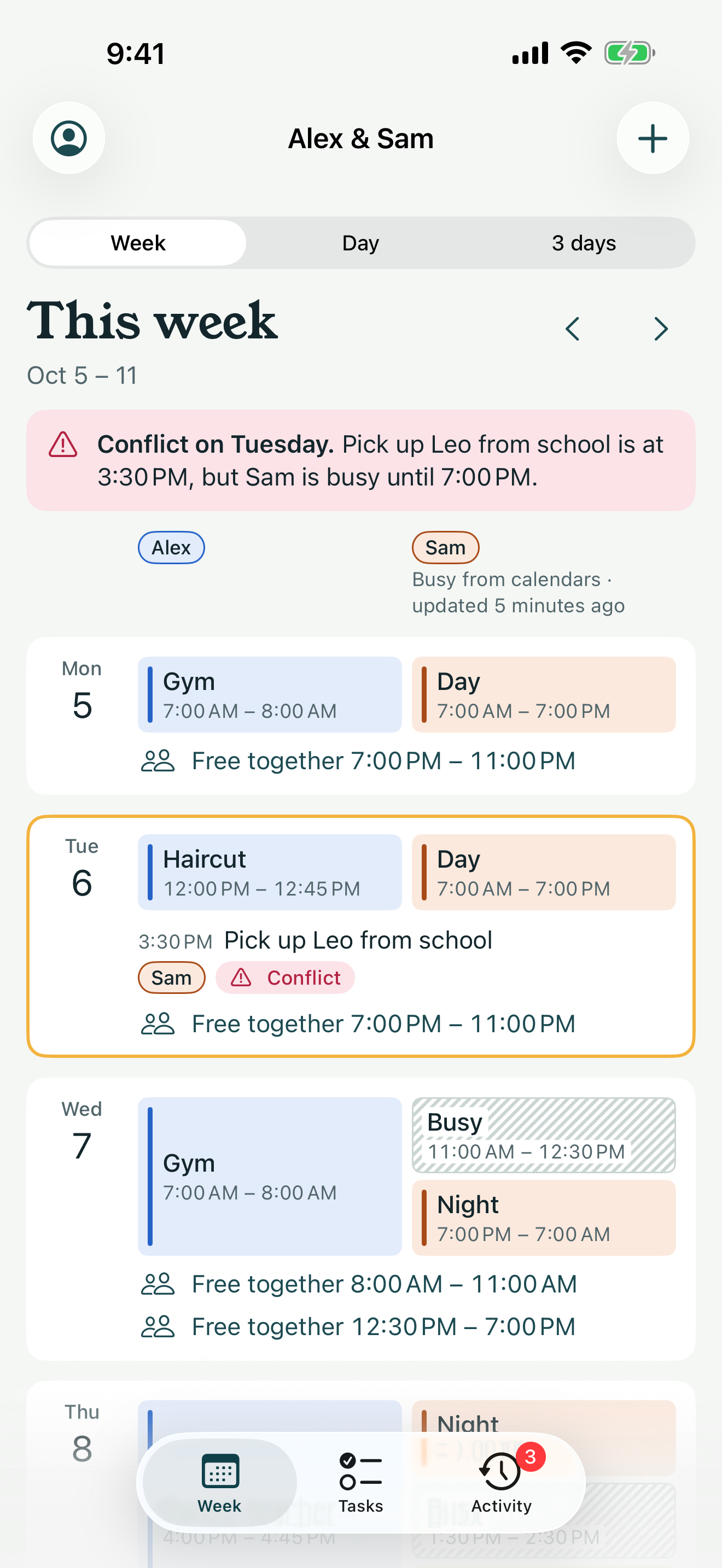
Each day shows one lane for you and one for your partner. Your shifts, plans and tasks sit next to theirs, so you can see the whole week at a glance.
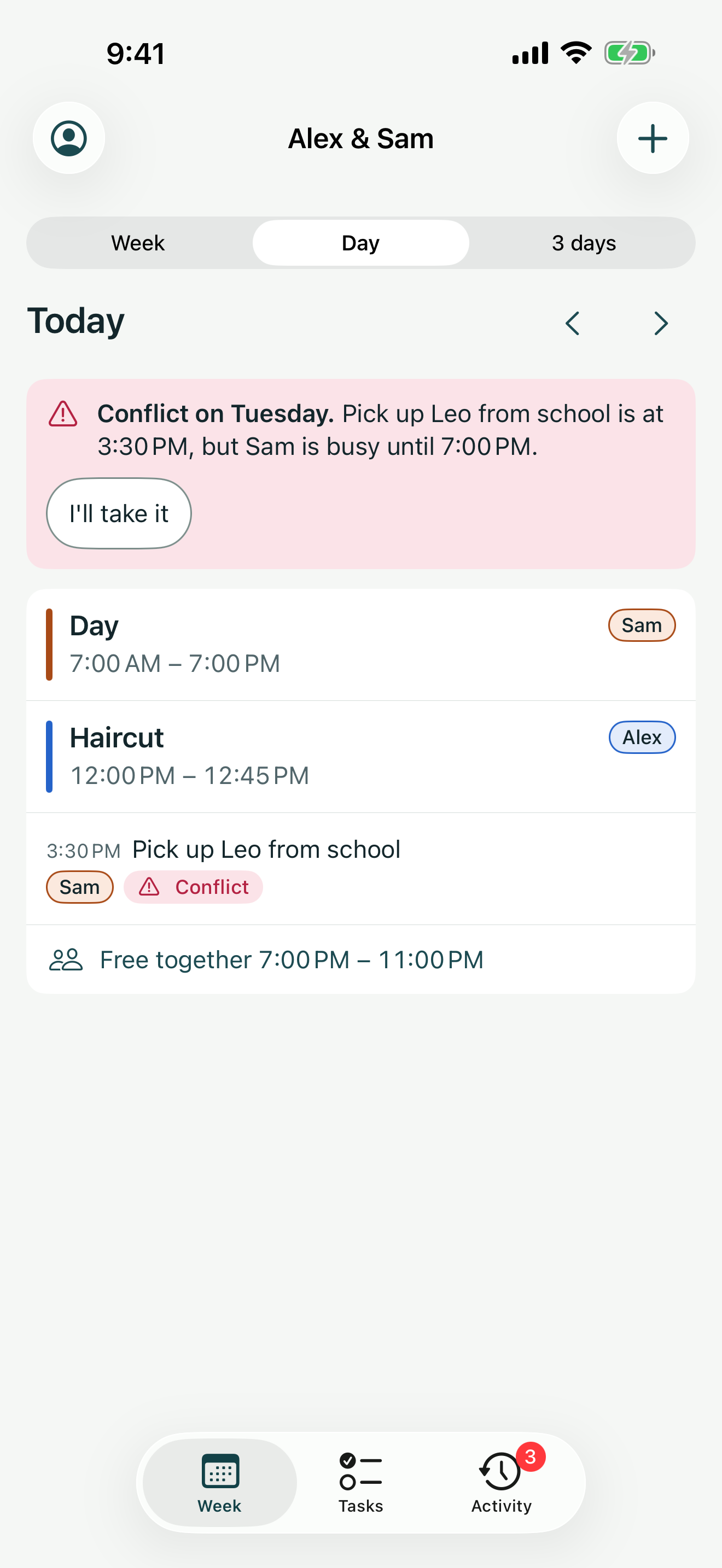
- Conflicts show before they happen: “Sam is busy until 7:00 PM.”
- Each day shows the free time you share.
- Your partner sees your changes as soon as you're online.
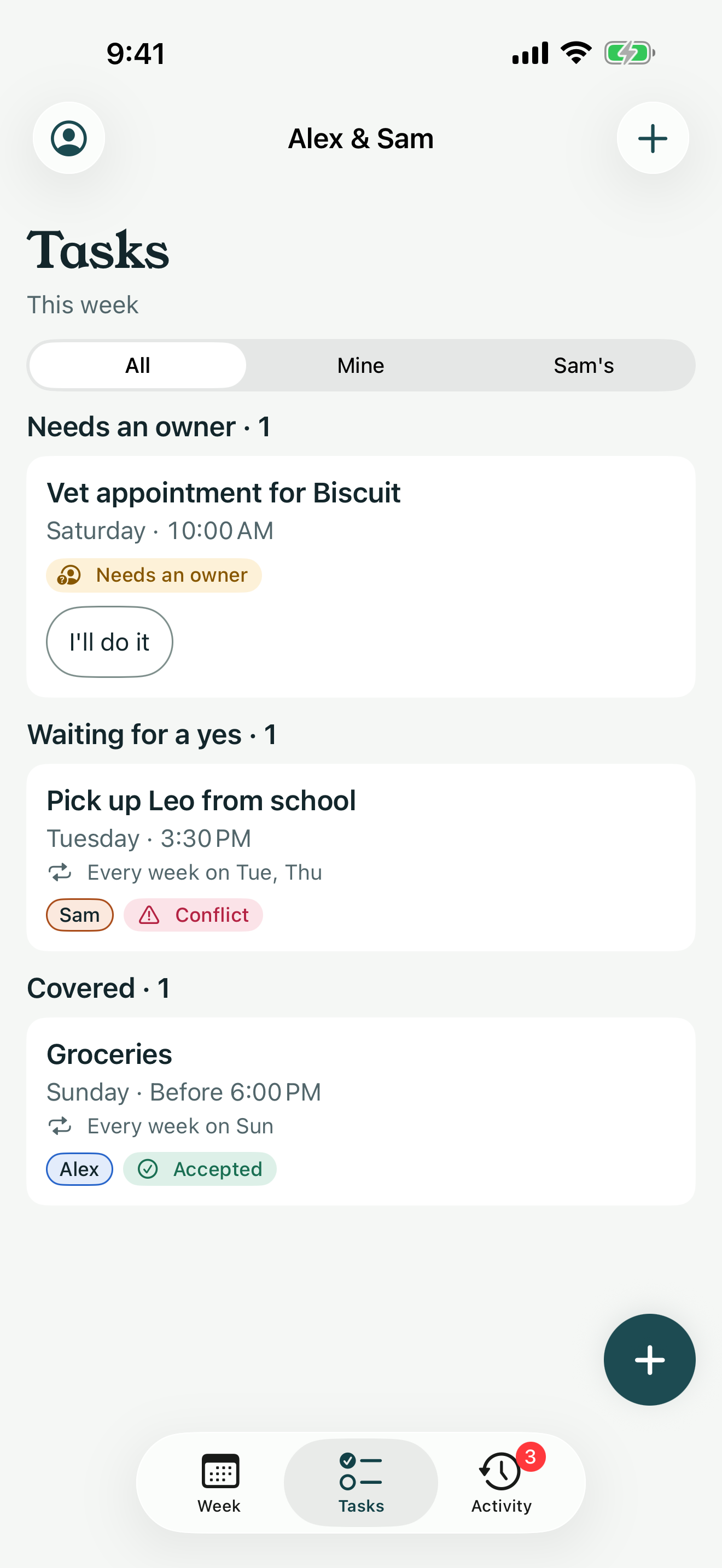
One owner for every task
Ask your partner to take a task. They accept or decline. Nothing falls between you.
- “Needs an owner” shows what nobody has taken yet.
- If your partner declines, the task goes back to needing an owner and you get told.
- Add a time or a deadline like “before 6 PM”, a note and a repeat.
Built for shifts
Save your shifts once as templates, then tap the days you work. Set up a rotation and Nest Days fills in the weeks ahead.
- Templates like Day 7 AM – 7 PM and Night 7 PM – 7 AM.
- Rotations such as 3 on, 4 off, with an end date.
- Overnight shifts show both ends. Daylight saving changes keep your shift times right.
- Day
- Day
- Night
- Night
- Off
- Off
- Off
- Off
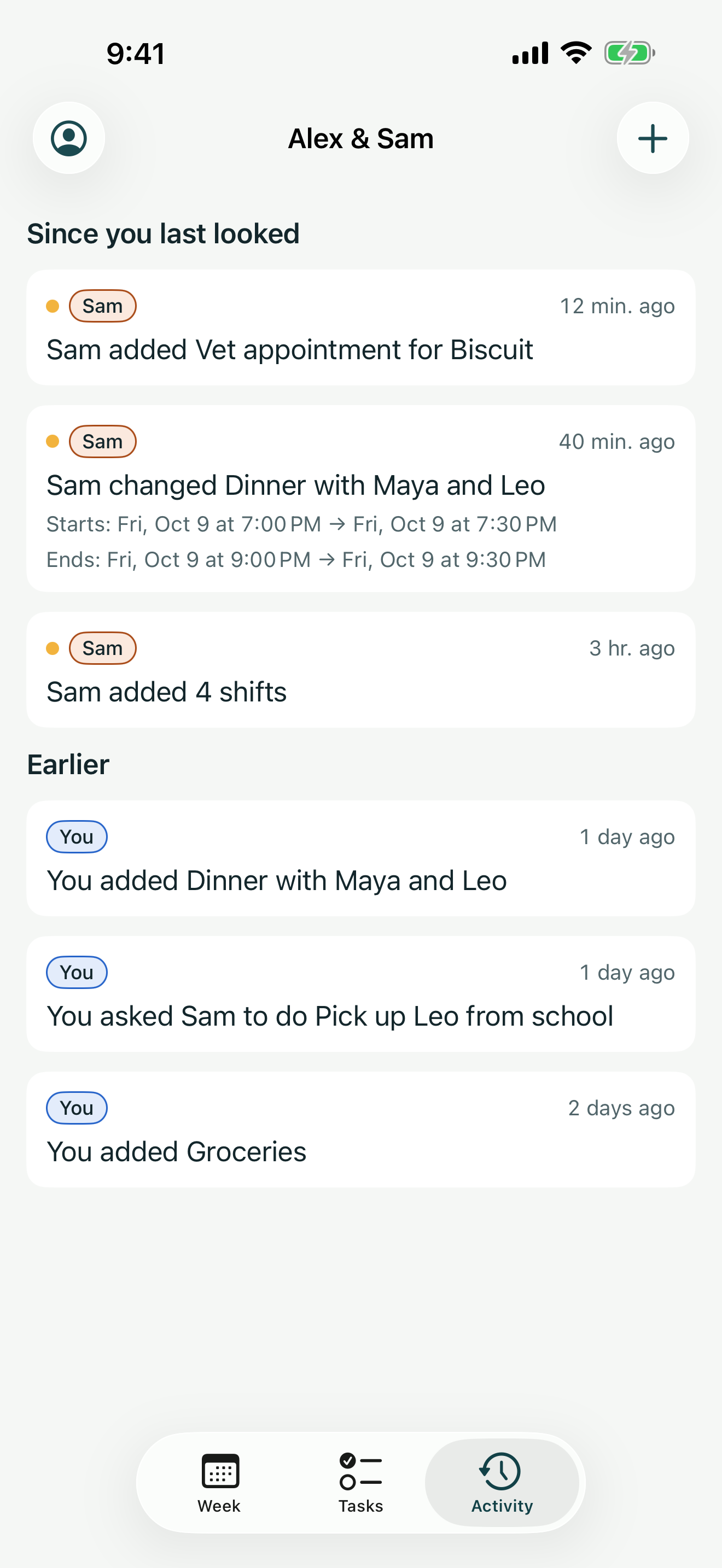
Know what changed
The activity feed shows what your partner added, moved or deleted since you last looked.
- “Sam moved Dentist to Thu 10:00 AM.”
- Deleted something by mistake? Restore it from the feed.
- 7 days of activity free, full history with Premium.
Plan around both schedules
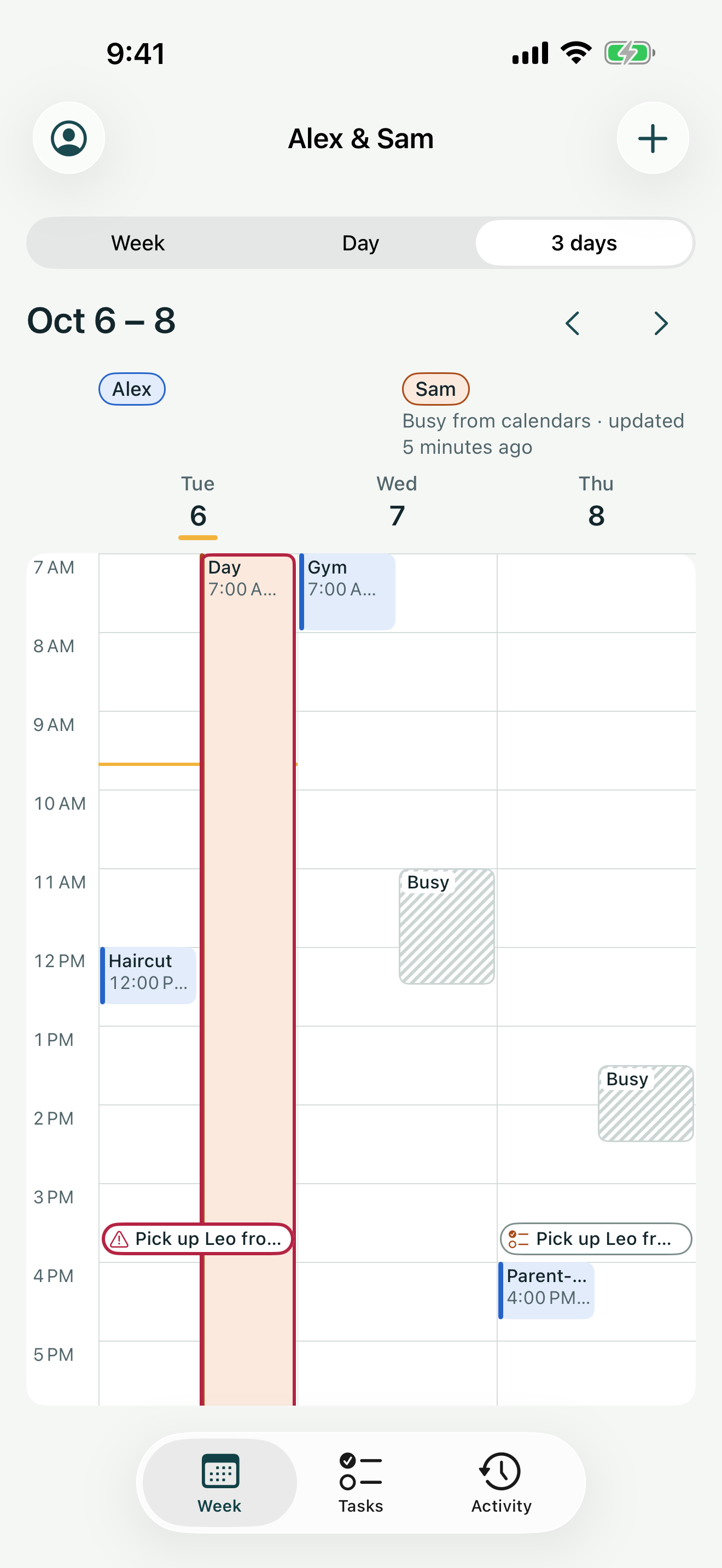
Pick your work or personal iPhone calendars and your partner sees when you're busy. Only start and end times leave your phone.
- Titles, places and notes stay private.
- A 3-day hourly view shows both of your shifts and busy times hour by hour.
- Turn sharing off and your busy times are deleted.
See it in the app
Short clips recorded in Nest Days with Alex and Sam.
Your week, side by sideBoth lanes for the week. Tap the conflict banner to open that day. One owner for every taskAdd a task, ask Sam to take it, and see it wait for a yes. Plan around both schedulesFree time together, then the 3-day view with Sam's busy times. One plan for both of youPremium covers both of you. Then share when you're busy from Calendars.
- No adsNothing in the app is paid for by advertisers.
- No trackingNo analytics in the app, no third-party SDKs and no advertising identifiers.
- Only the people you inviteYour household's calendar is shared only with the people you invite.
- Your data, your callExport your data or delete your account from the app at any time.
Free for both of you. Premium for the household.
Free
- The full shared calendar
- Shifts, templates and rotations
- Tasks with one owner
- Activity for the last 7 days
- Reminders and notifications
- Works offline
Nest Days Premium
Premium- Everything in Free
- Busy times from iPhone calendars
- 3-day hourly view
- Copy to Apple Calendar
- Full activity history
One subscription covers both of you. Prices may vary by country and are shown in the app before you buy.

One plan for both of you
Free to download. iPhone only.